
Beachy now allows you to integrate your Smartwaiver account. Integrating Smartwaiver allows for customers to sign your waivers from the attendant app or their email receipt.
1) In order to get started, log in to your Smartwaiver account.
2) Click on the waiver that you would like to tie to a Beachy product.

3) After your waiver loads, copy the waiver ID from the URL.
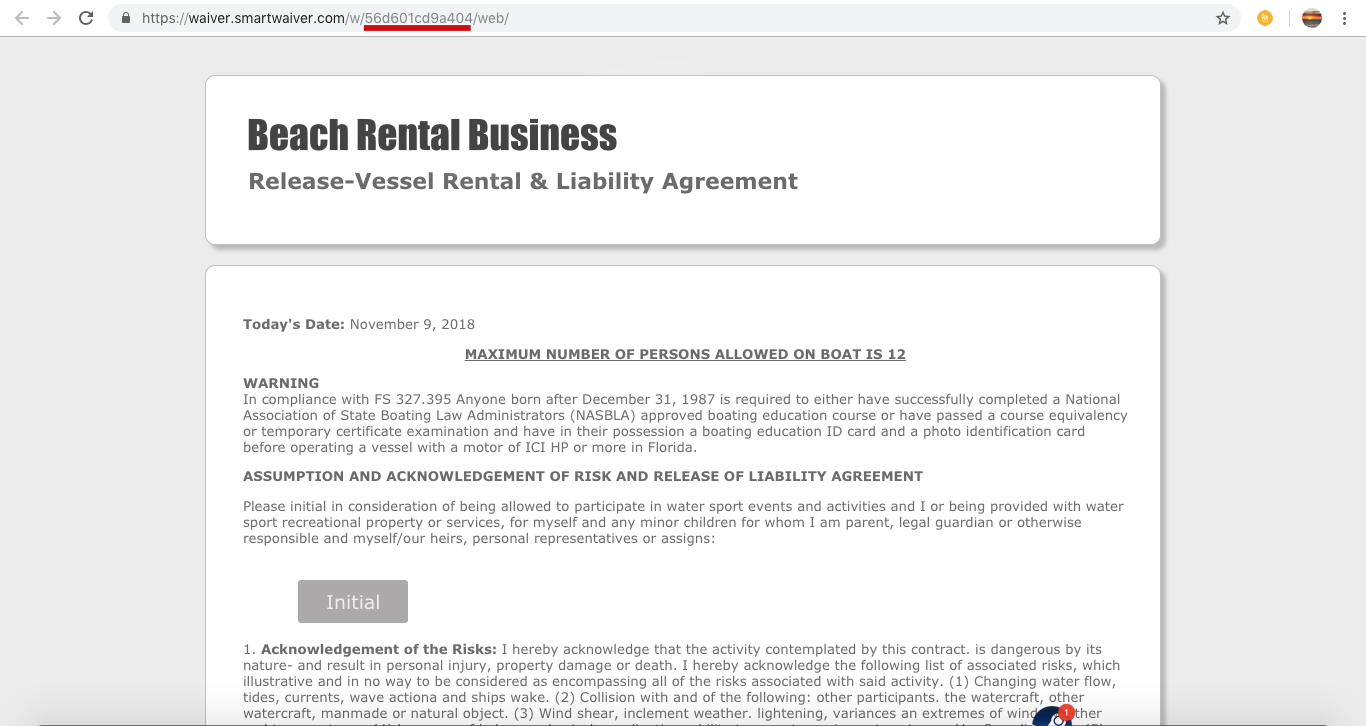
4) Once the waiver ID is copied, paste into the Smartwaiver ID form box in the product details and save.
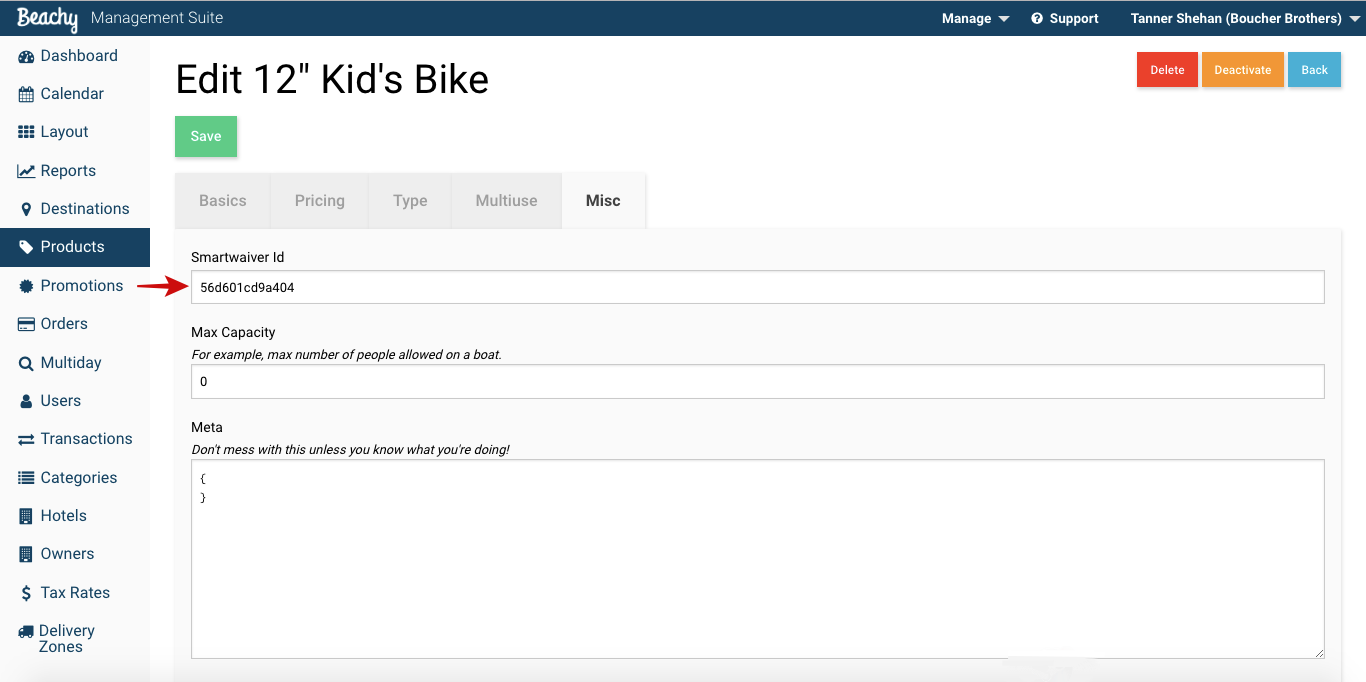
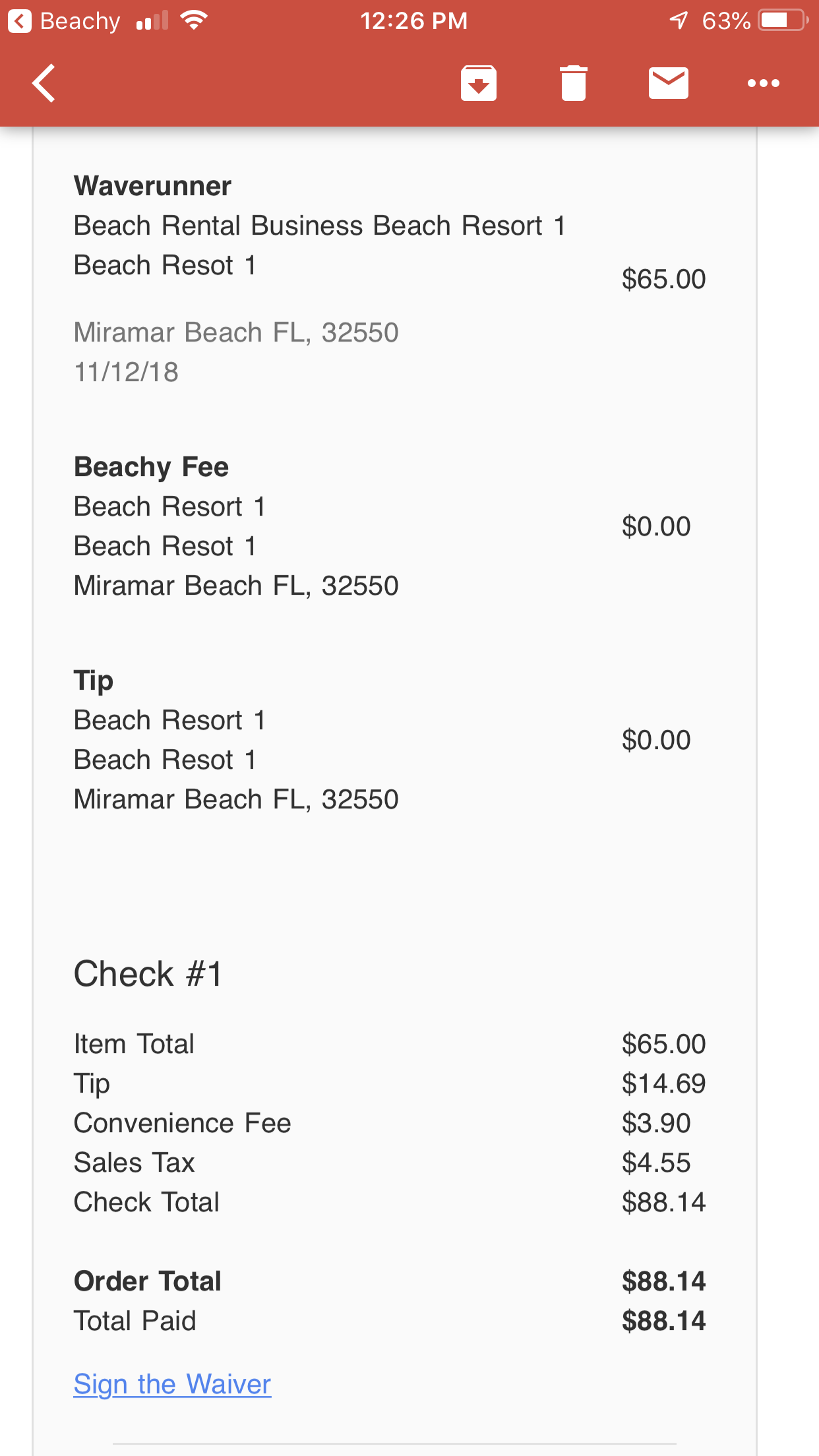
Each product that is assigned a waiver allows for the customer to sign via email receipt or attendant app, as shown below.
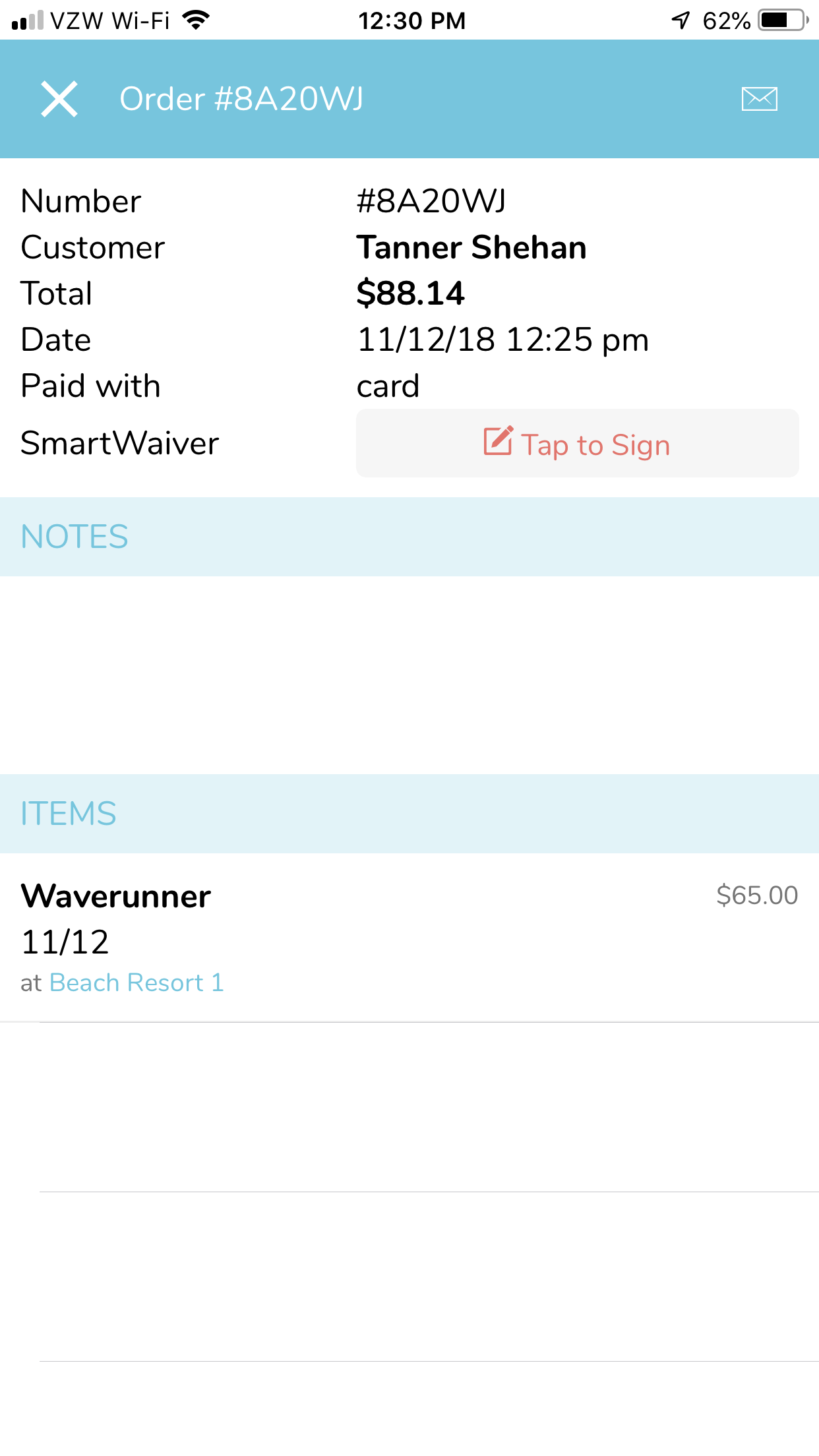
The order details, in the management suite, will show if the waiver has been
completed.

Comments
0 comments
Please sign in to leave a comment.