
The Beachy Reports tab allows you to visualize and analyze your earnings. The default Reports page is a revenue summary of today's transactions.
Filtering reports allows you to track revenue from each payment type, attendant, and product for any given destination or date range.
The tabs at the top of the report allow you to navigate between different
reports to analyze.
 Accounting:
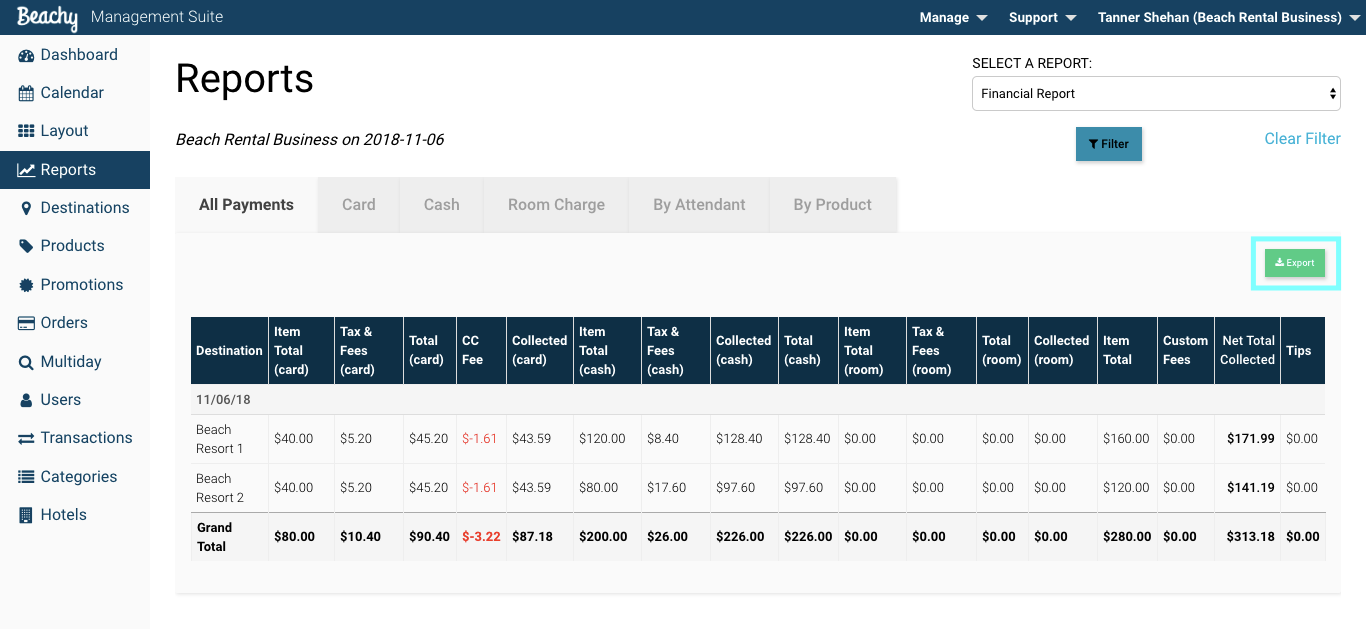
- Payment Method- Your total sales broken down by cash, credit card, and room charge.
- CC Fee- Credit card fees assessed on credit card orders.
- Refunds- Your total refunds for date or range in the 'By Product' tab
- Taxes- Your total sales broken down by each tax type.
- Custom Fees- Any custom fees attached to a product in order
- Tips- tracked by credit card and room charge payment types
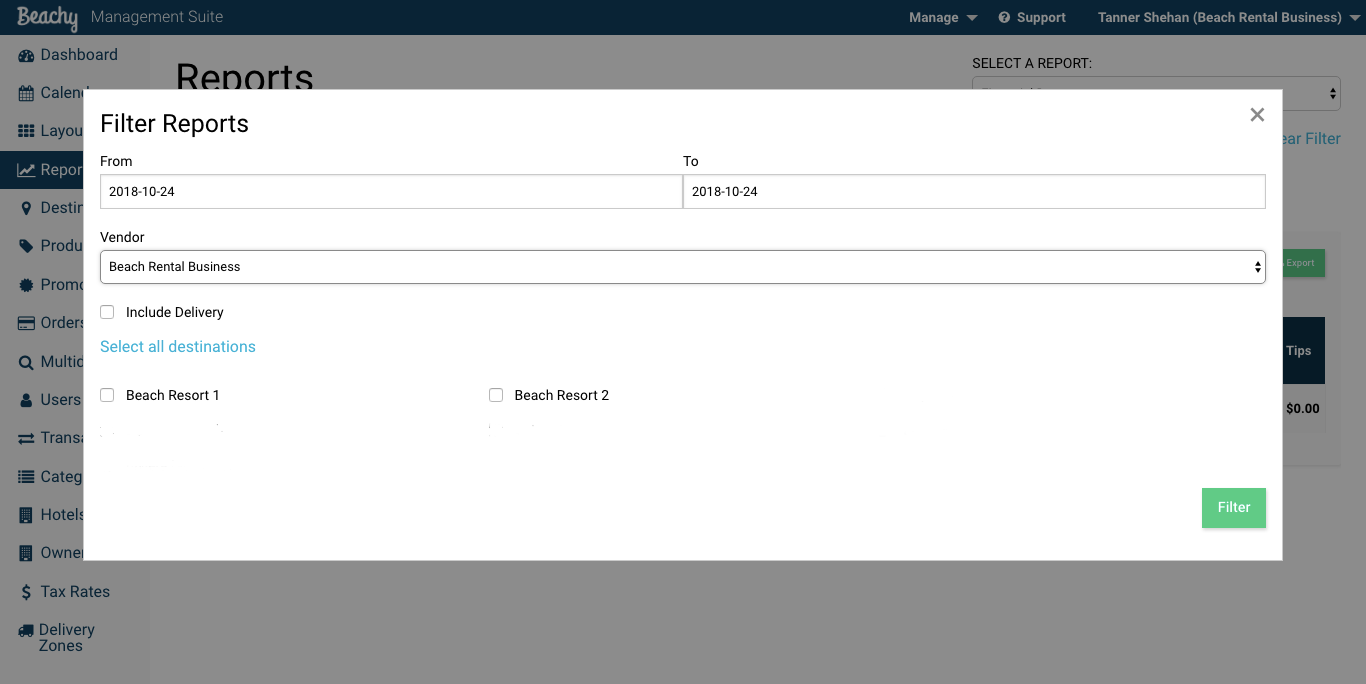
In order to filter for a particular report, select the Filter button. A pop-up modal will appear allowing you to refine your search.
After running a report, you can export to a CSV file to manipulate the data. Many accountants have a certain way of running their books and this export allows for the extraction of data needed.
Comments
0 comments
Please sign in to leave a comment.