
With the deep touch feature, attendants can now tie extra chairs, umbrellas, or any other non-rental products to their seat map. This allows for you to place a customer in a layout position and then quickly add to their order by holding down on the seat position. This feature assists in increasing efficiency in the checkout process and the ability to upsell your customers.
In order to add products to the seat layout, click on the Layout tab in the management suite. Select the Add-ons button in the right corner of the seat map.
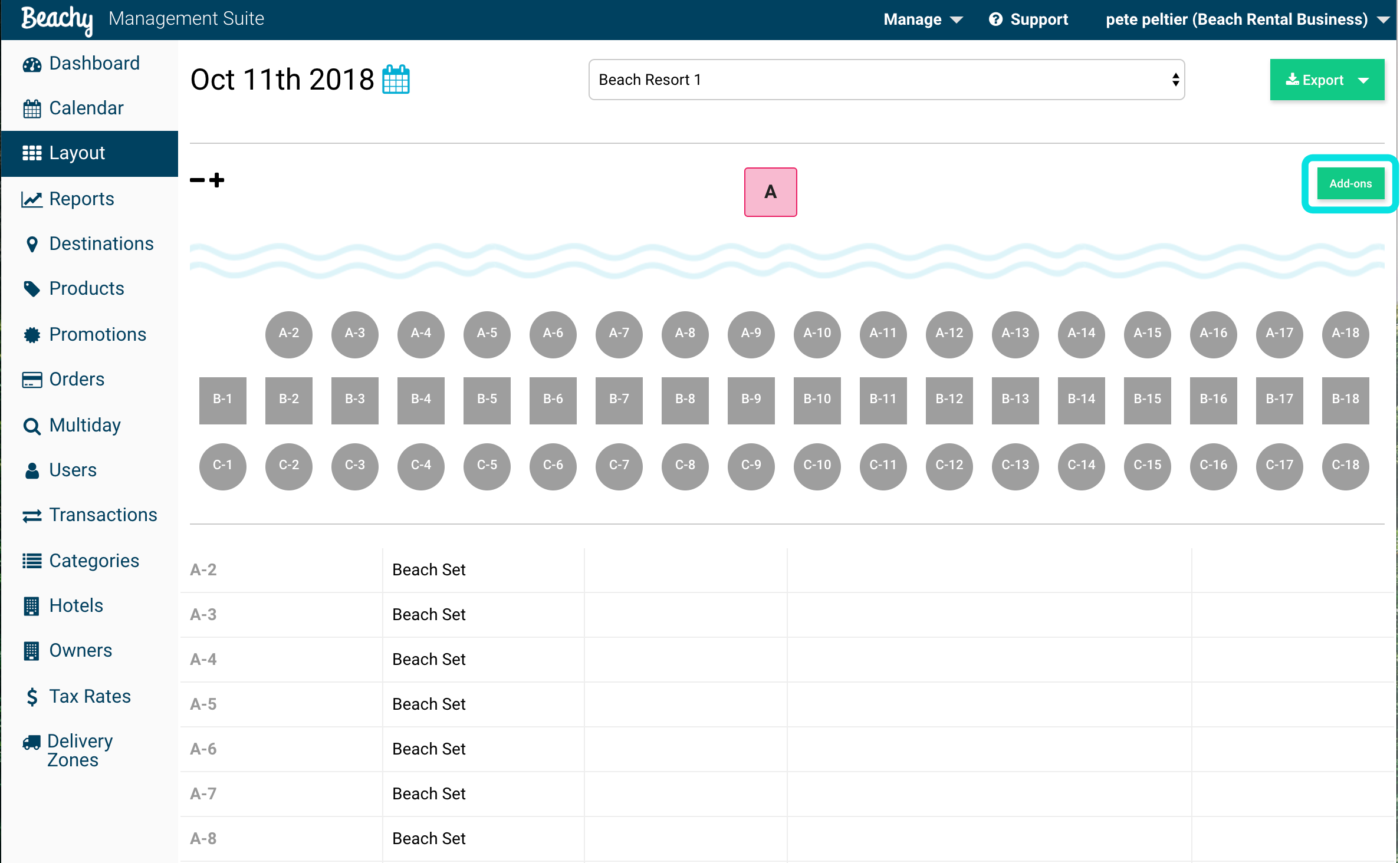
Select all seat positions and products that you want to have deep touch and apply changes.

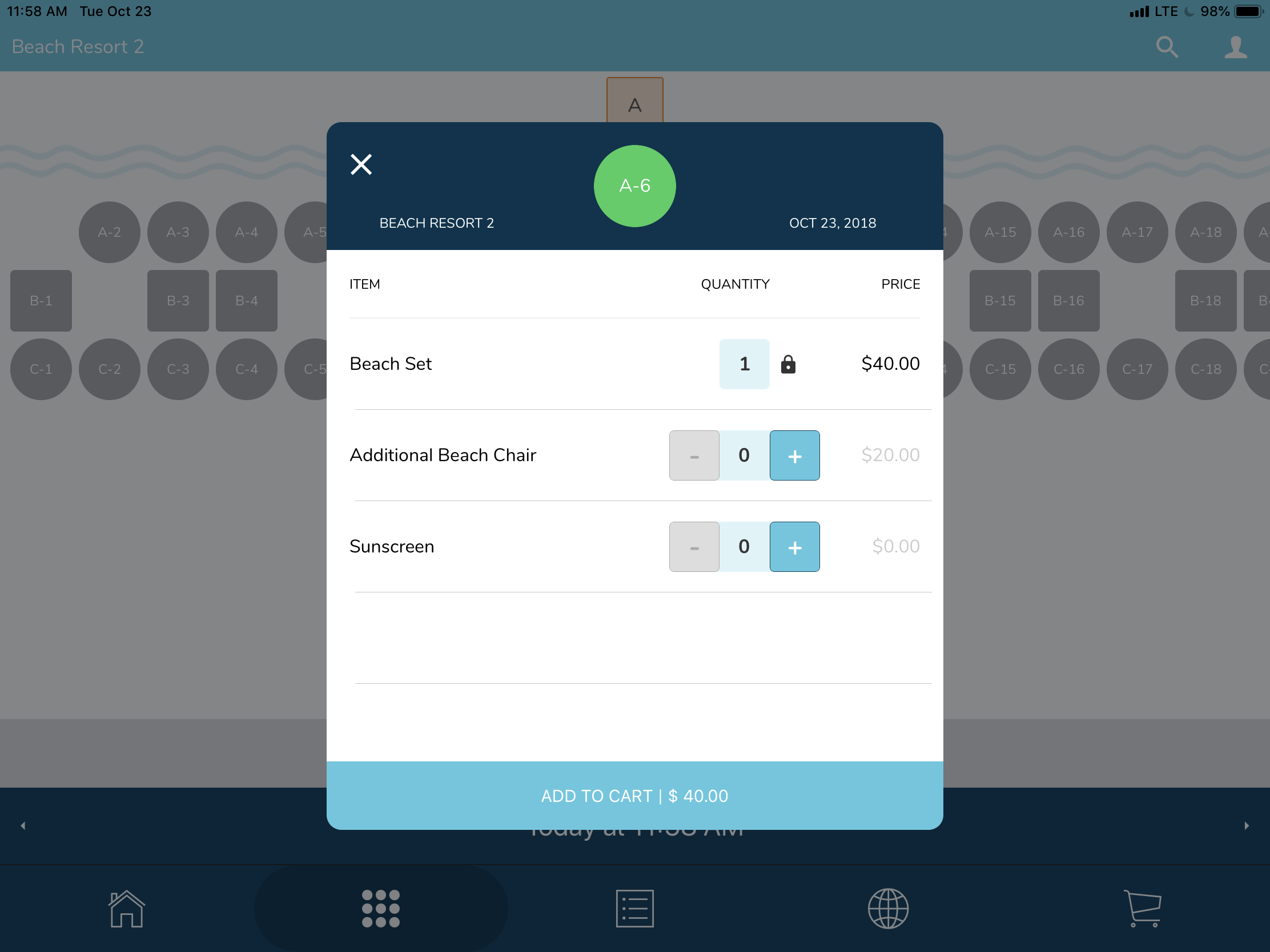
After you have assigned products to your seat layout positions, clear the app cache. If you hold down a seat position, with add-ons assigned, this pop-up modal will appear.
With the add-ons shown, you can attach an additional beach chair or sunscreen to this customer's beach set order.
Comments
0 comments
Please sign in to leave a comment.